When you install a NAYAX cashless payment terminal, you also need to set the machine to talk to it correctly: the right MDB level and the right price multiplier. This is a one-time configuration that takes about 2 minutes.
Before you start
- The NAYAX terminal is physically installed and wired to the machine’s MDB connector.
- The terminal is registered in your NAYAX account so it can accept payments.
- You’re at the machine — this configuration cannot be done remotely.
Configuration steps
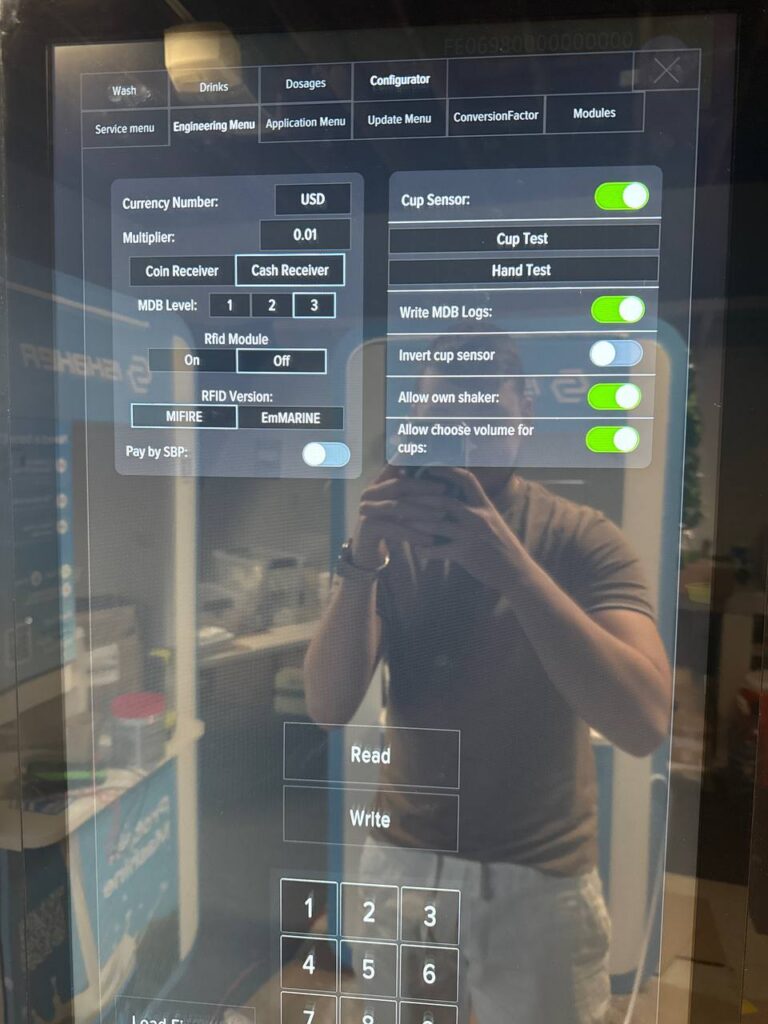
- Open Service Mode on the machine, then tap Developer Mode.
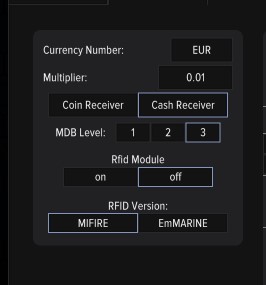
- Open the Configurator tab, then go to Engineering Menu.
- Set Multiplier to 0.01 in the dropdown.
- Set MDB Level to 3.
- Tap Read to apply the changes.
- Tap Write to save the changes permanently.
Walkthrough video
Verification
After saving, exit Service Mode and try a test purchase with a test card. The terminal screen should display the correct price (matching what’s set in your machine) and accept the payment. If the price shows a wrong amount or the payment fails, check that Multiplier is exactly 0.01 and MDB Level is exactly 3, then re-save and reboot the machine.