Service menu — Shaker S
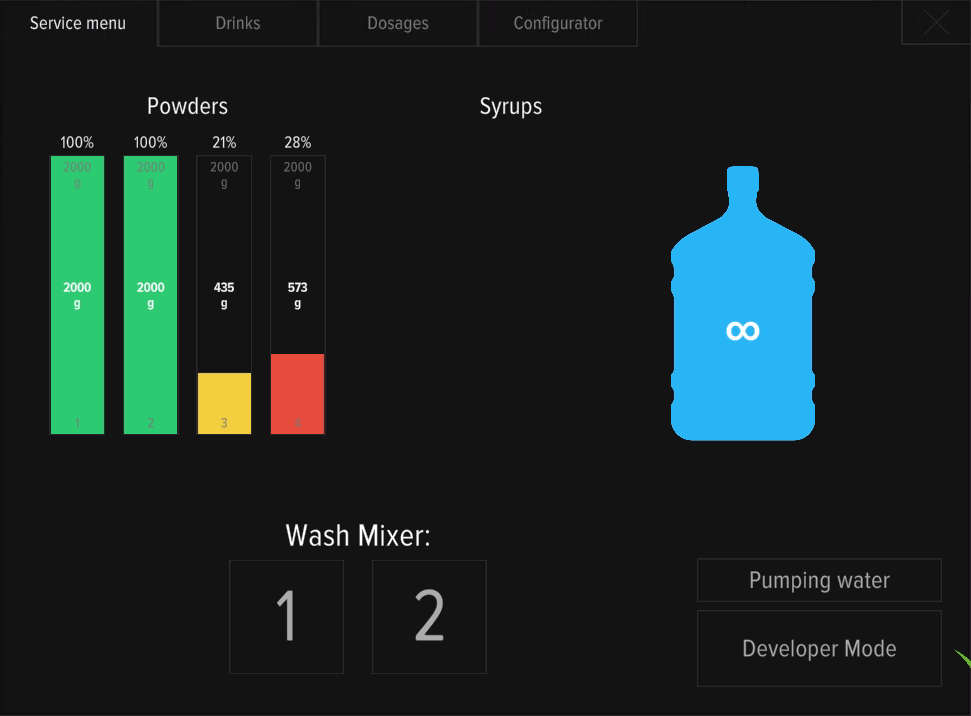
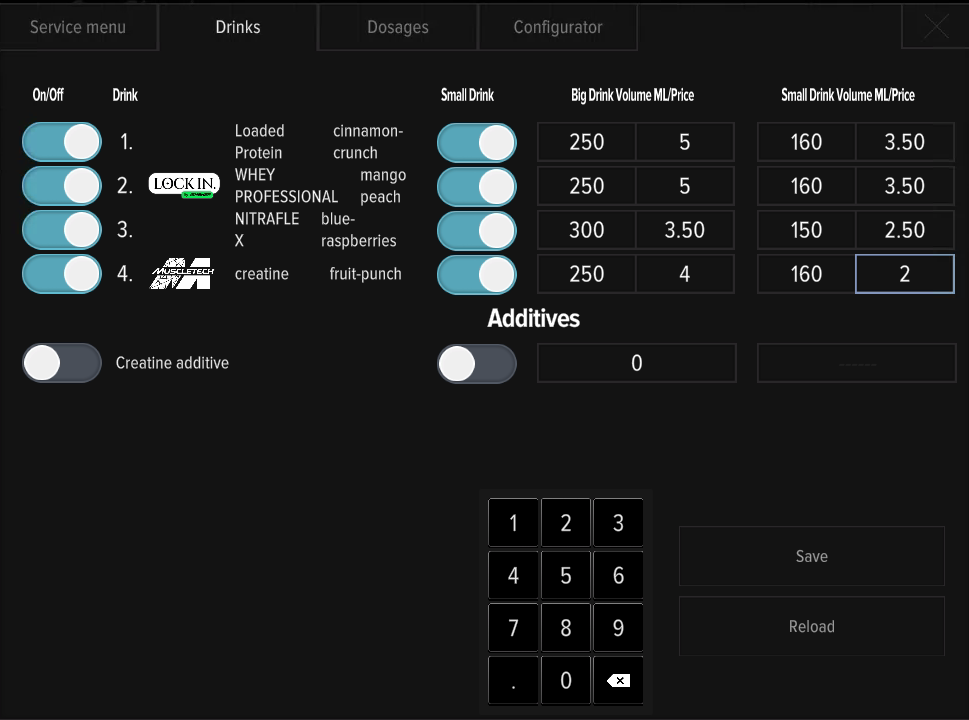
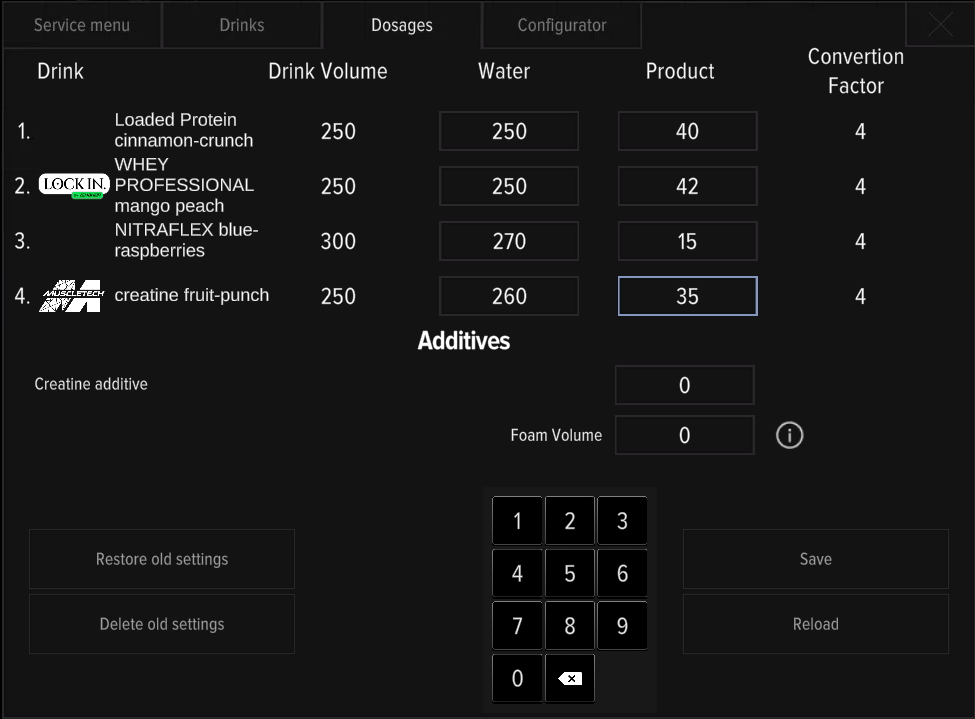
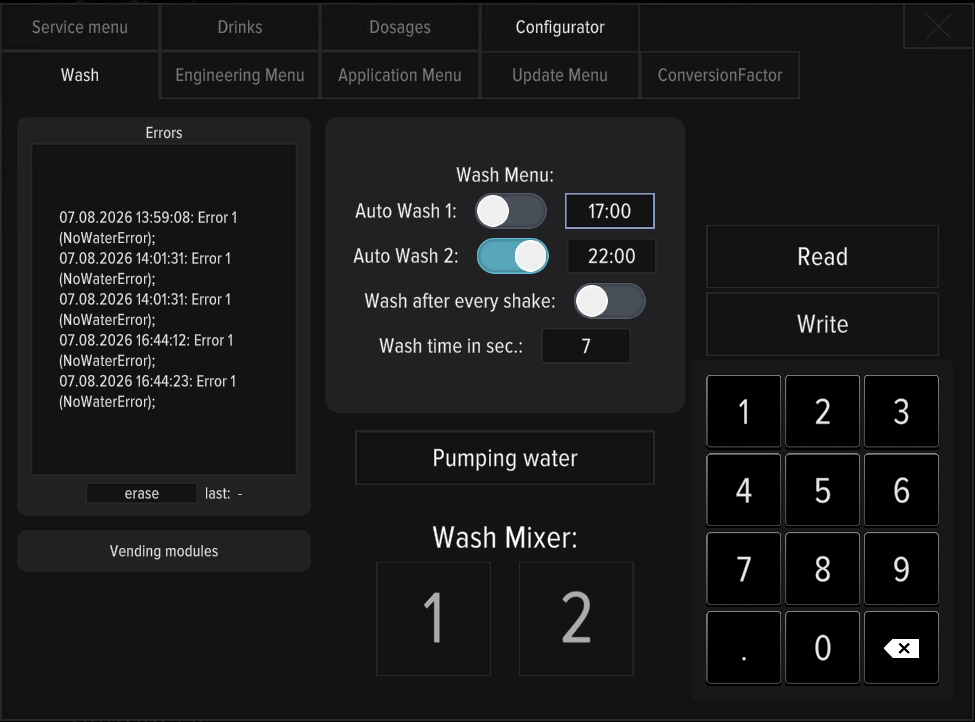
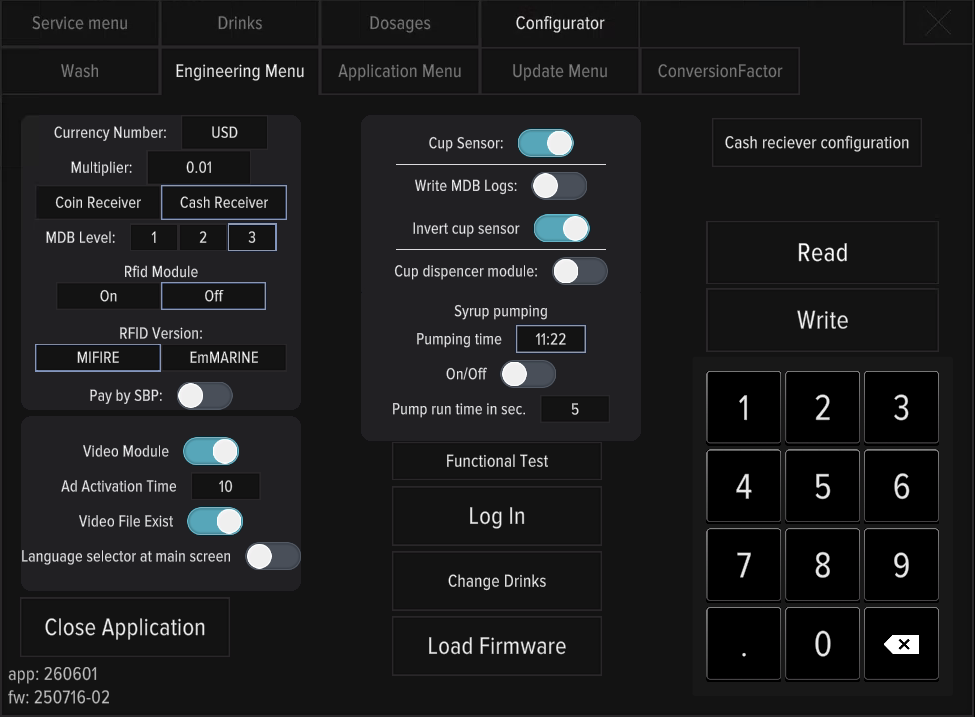
How to enter the Shaker S service menu, the main sections, and how to exit safely. Screenshots of an actual Shaker S menu can be found at the bottom of this page.
Entry
Enter via service access. Once in, the machine management sections open.
Main sections
- Service menu — mixer rinse.
- Drinks — which flavors are on which slots.
- Dosages — water and powder doses per drink.
- Configurator — machine configuration; also Update Database From Server is located in Engineering Menu tab with a Change Drinks button in the bottom center.
Level icons are tappable
The bottle / cups / powder icons in the Shaker S service menu are tappable — a tap sets the current level (handy after a refill).
Always exit service mode before leaving — otherwise the dashboard shows a yellow bar and sales are paused.