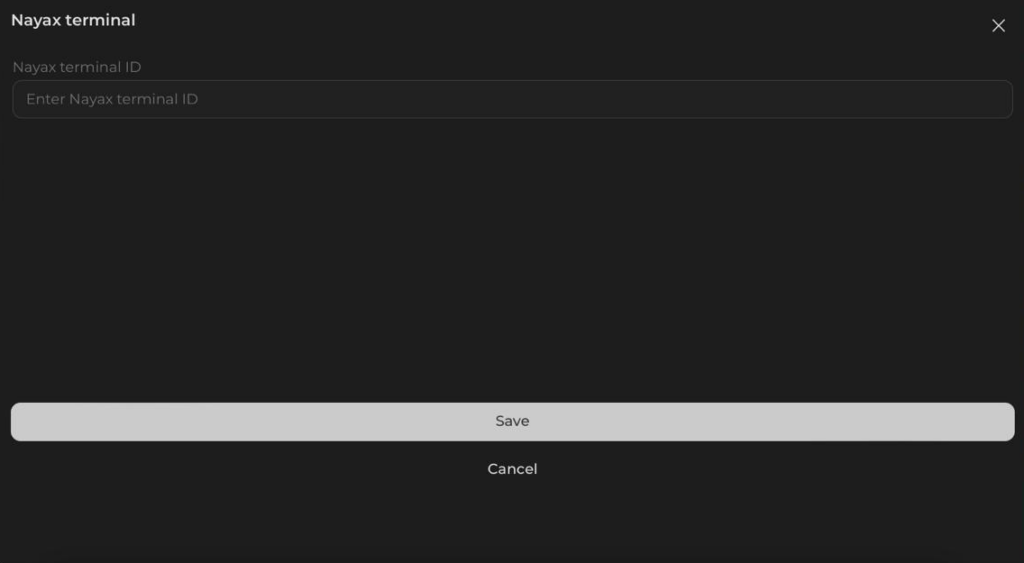
Adding NAYAX to your Admin Account
Now you can add a NAYAX terminal by yourself and link it to your account to instantly see payments made to your machine.
Step-by-step Guide
1. Go to the NAYAX website and log in your account;

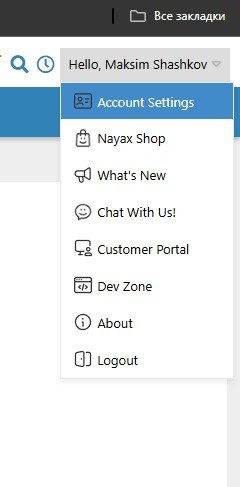
2. In the navigation menu on top of the page, open the “Account Settings”;
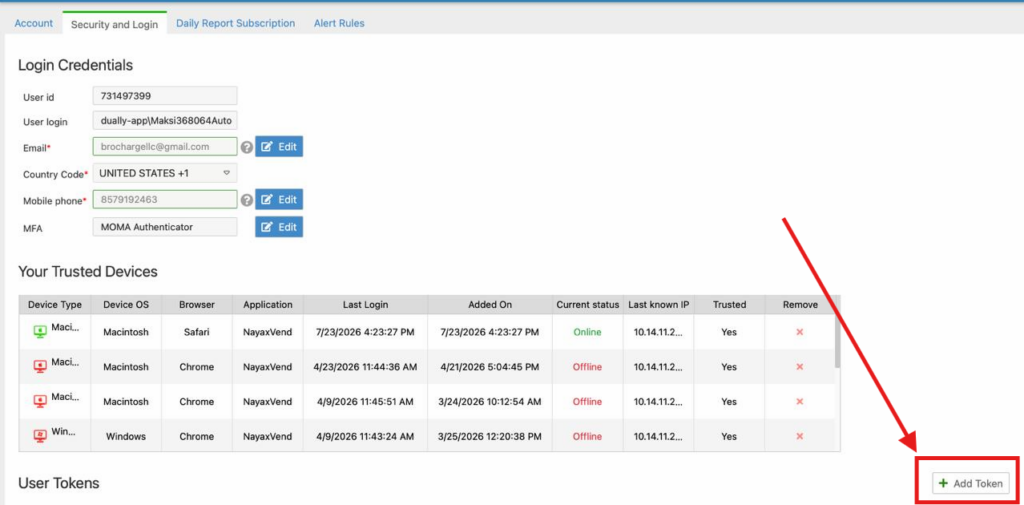
3) Go to the “Security and Login” tab;

4) Create a new token (token’s name does not matter) and copy it;
5) Go to our Manage iShaker website and log in your account;
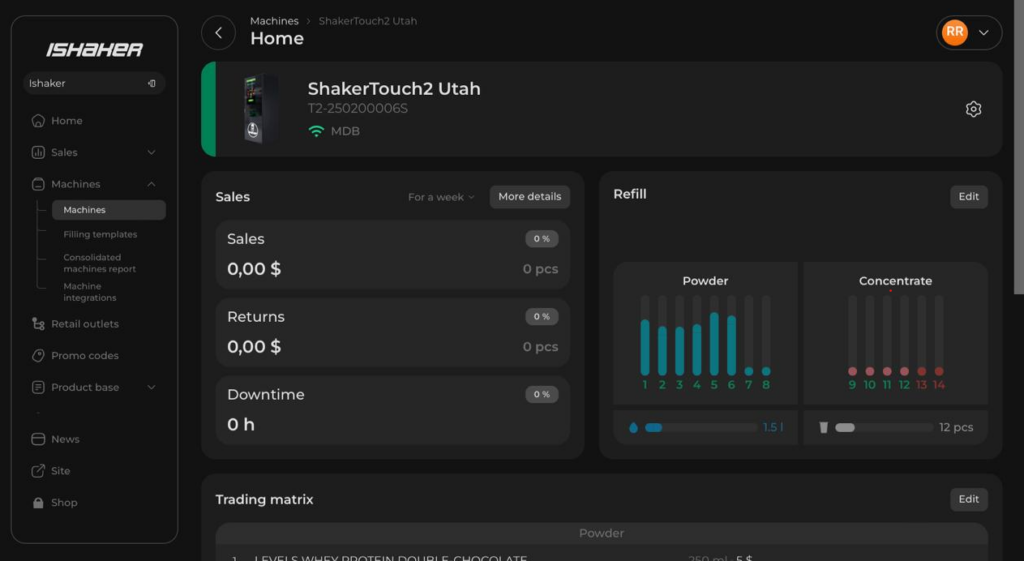
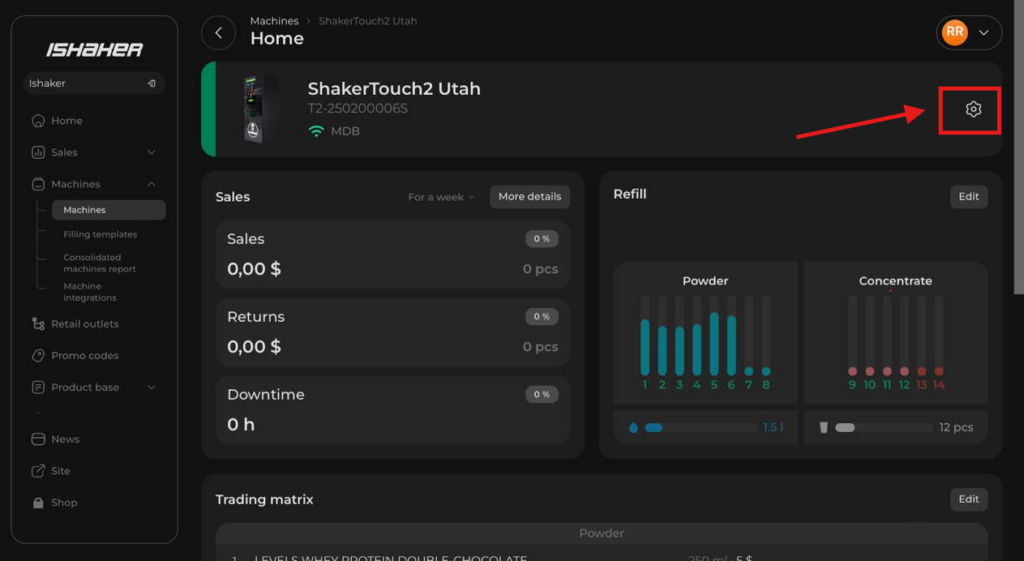
6) Go to your machine and press the Settings icon on the top right;
7) Click on the “Nayax” menu option;
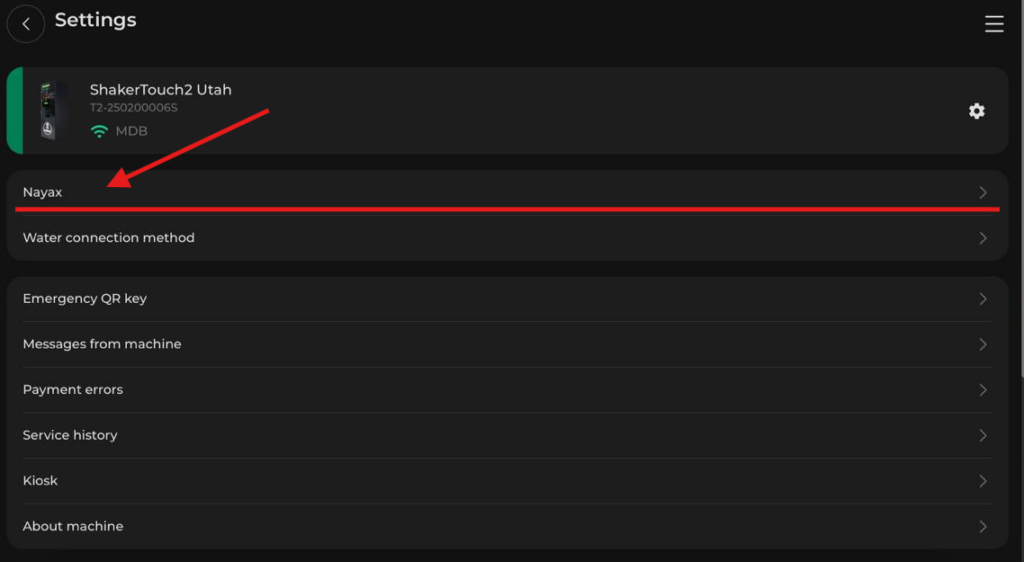
8)Enter or paste the token you created.