
This is an old revision of the document!
Table of Contents
Connection to the central water supply system (Touch 2)
This type of connection requires preparation of the water supply system. Direct connection to the water supply is not recommended; typically, 3- or 5-cell filters are used for water purification.
Attention! Installation of water supply regulation devices is prohibited!
A 6mm diameter PVC hose is used to connect to the machine's nipple. Ensure that the water supply pressure is at least 0.15 - 0.8 MPa (1.5 - 8 bar).
Connection procedure and rules:
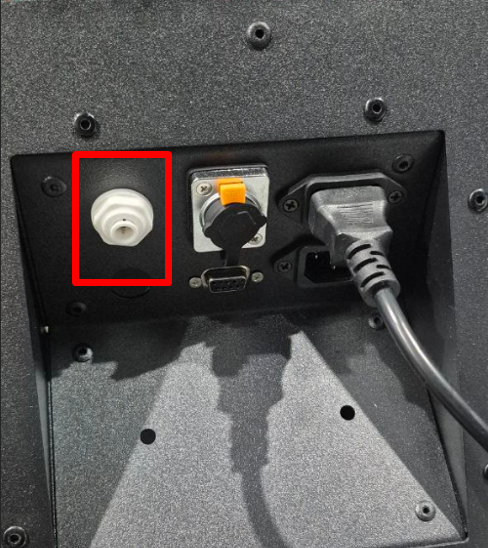
- Connect the PVC hose to the fitting on the back of the machine;
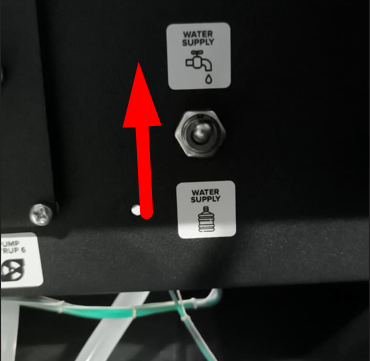
- Set the water supply switch to the water supply position;
- Turn on the taps to supply water from the water supply;
- Turn on the main power switch of the machine and wait for the software to load;
- Press the SERVICE MODE button, then tap “Water Pumping” on the screen. Continue pumping until the hydraulic line is full and water flows from the hoses.
- Press buttons 1-4 to rinse all mixers in turn until water comes out.
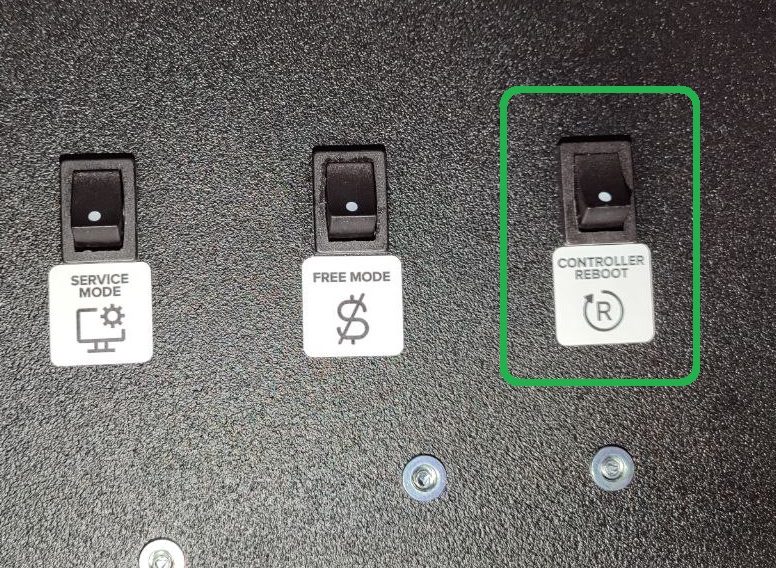
- Press the CONTROLLER REBOOT button or reset the machine from the screen on the Drinks tab.
- Make sure that error 1 “No Water” doesn't appear on the screen after restarting the machine. If the error persists, check the water level in the mixer.
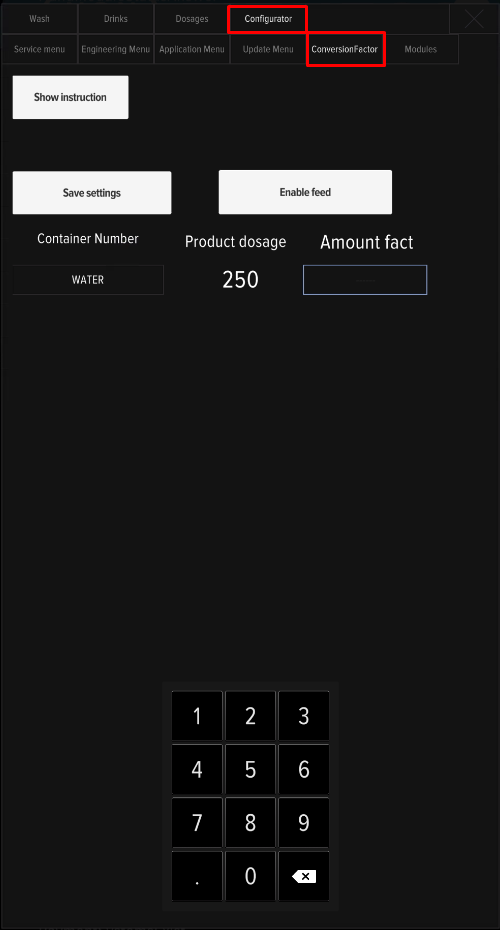
- Open the service menu, press the “Developer Mode” button, go to the ConvertionFactor tab, and calibrate the water supply using a measuring cup.
Adjusting the water level
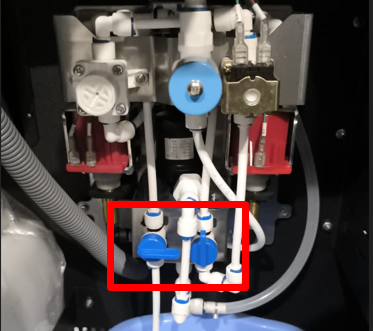
If water is supplied after connecting, but error 1 “No water” persists after rebooting, check the water level in the mixer. Run a pumping cycle in the service menu and compare the flow rate with the image below:
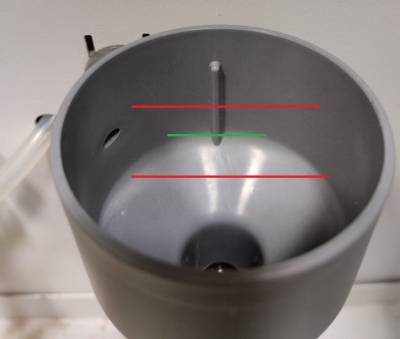
- Adjust the water flow if necessary. Adjustment is made by turning the pressure regulator with a “+” screwdriver;
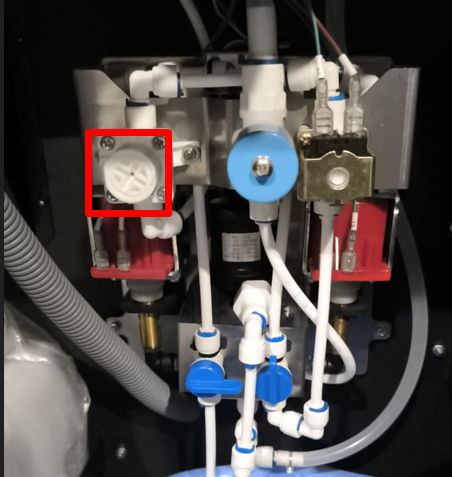
- To increase the water flow, turn the regulator clockwise; to decrease it, turn it counterclockwise. Check the water level in the funnel.
- Open the service menu and rinse the mixers by pressing buttons 1-4 on the screen one by one.
- Press CONTROLLER REBOOT. service button . After the machine restarts, make sure that the No Water error 1 is no longer displayed on the screen.
- After setting the water level, check the water output in the service menu ConvertionFactor tab.
The water supply connection setup is complete.
Possible problems
In some cases, if the water pressure in the water supply system is high, the solenoid valve may not open (the machine displays error 1, and no water flows when reset). The solution is to reduce the pressure by turning the regulator, counterclockwise a few turns, then press CONTROLLER REBOOT and ensure that water begins to flow into the line. After any changes in water pressure, you must calibrate the water in the ConversionFactor tab.