
This is an old revision of the document!
Table of Contents
Error 1 No Water
Touch 2 model
Reasons for appearance:
- Lack of water;
- Air lock in the system;
- Incorrect water supply connection setting;
- Technical malfunction;
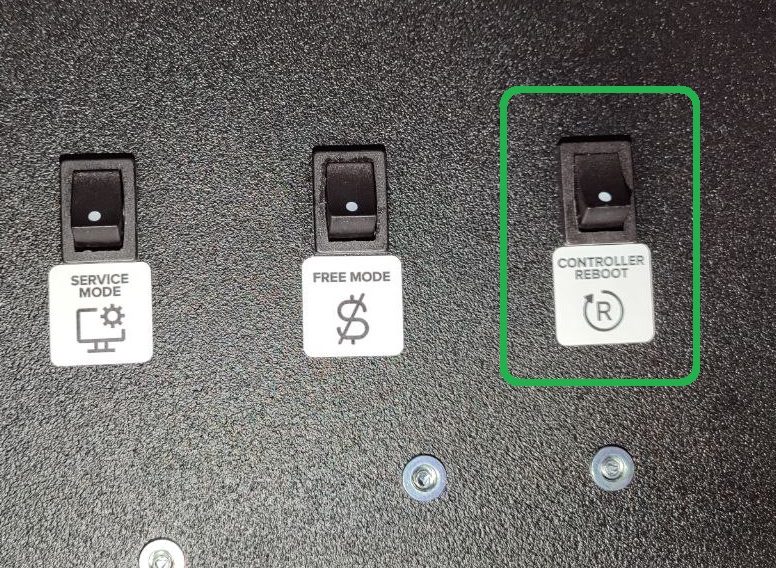
To reset the error, press CONTROLLER REBOOT button. If the error persists, start the pumping water process in the service menu. Once the bleeding process is complete, press CONTROLLER REBOOT.
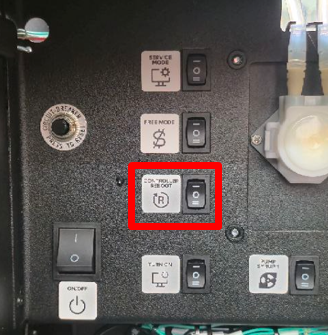

If the error reappears after rebooting, run diagnostics:
- Make sure that the taps and the pump/water supply switch are installed in the correct position, corresponding to the connection;
- The pump hose is not pinched or bent, is at the bottom of the container, and the water has not run out;
- The pressure in the water supply system (with this type of connection) is not lower than 0.15 - 0.8 MPa (1.5 - 8 bar).
- The water level when rinsing the mixer/pumping water is not less than the optimal level (picture below):
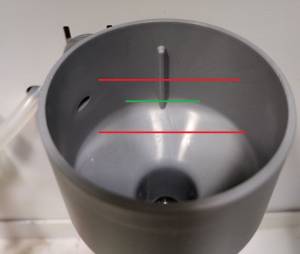
Each connection type uses a separate setting.
Pump setup
If water is supplied after connecting, but error 1 “No water” persists after rebooting, check the water level in the mixer. Run a pumping cycle in the service menu and compare the flow rate with the image below:
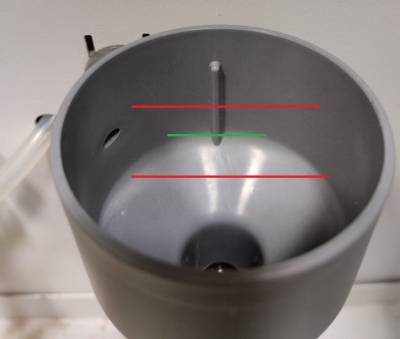
If the water level is below the green line, increase the water flow. To do this, open the service menu and go to Configurator - Service Menu. Find the “Water PWM Setting” option.
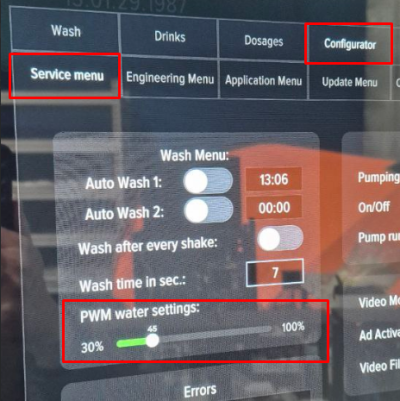
The default value is 40%. Moving the slider to the left will decrease the pressure, while moving it to the right will increase it. To save the change, be sure to click the “Save” button. It is not recommended to increase or decrease the pressure drastically; change the value by 10% at a time, be sure to save the change, reboot the machine, and check for error 1.
After changing the PWM setting, water calibration is required to correctly calculate drink dosages.
Adjusting the water level when connecting to the water supply
If water is supplied after connecting, but error 1 “No water” persists after rebooting, check the water level in the mixer. Run a pumping cycle in the service menu and compare the flow rate with the image below:
- Adjust the water flow if necessary. Adjustment is made by turning регулятора давления with a “+” screwdriver;
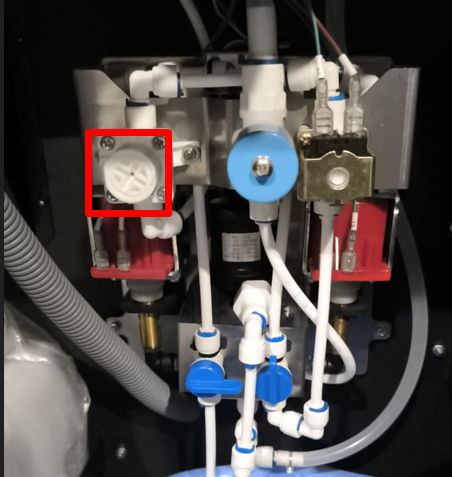
- To increase the water flow, turn the regulator clockwise; to decrease it, turn it counterclockwise. Check the water level in the funnel.
- Open the service menu and rinse the mixers by pressing buttons 1-4 on the screen one by one.
- Press CONTROLLER REBOOT. After the machine restarts, make sure that the No Water error 1 is no longer displayed on the screen.
- After setting the water level, check the water calibration in the service menu.
Вопрос / Ответ
Question: I ran out of water, and the machine has been in an error state for a while. When I restart and pump, the water doesn't flow, or flows very slowly, and the settings don't work. What should I do?
Answer: Turn off the machine's cooler for 30 minutes, then pump the water. Without water, the cooler freezes and shuts off the water supply.
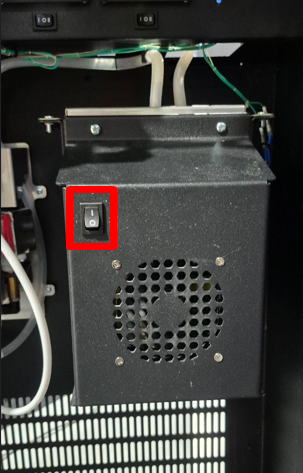
Question: The machine doesn't reset the error after multiple reboots. The pressure is normal, and water flows when rebooted. Sometimes the error resets, but reappears the first time I make a drink. What should I do?
Answer: The watermeter needs to be replaced.