Connect a Shaker Touch 2 to a building water line for locations with permanent water supply. Covers pre-connection requirements, hookup, water level adjustment, water calibration through the service menu, and troubleshooting if the valve fails to open.
Before you start
Direct connection to the water line is not recommended. Use a 3- or 5-stage water filter (Geyser, Barrier or equivalent) between the wall and the machine to protect the pump and dosing system.
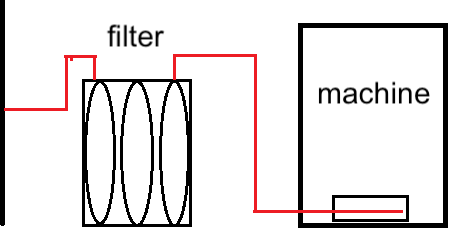
Important: do not install any water flow regulators, pressure reducers, or solenoid valves between the filter and the machine — only the supplied PVC hose.
- Use a 6 mm diameter PVC hose.
- Verify supply pressure: 0.15–0.8 MPa (1.5–8 bar).
Connection procedure
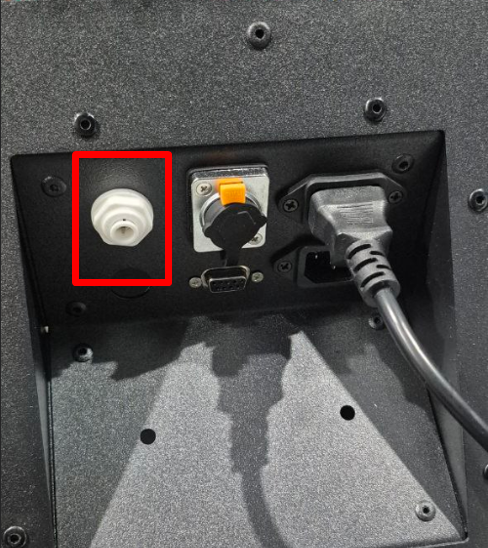
- Connect the PVC hose to the fitting on the back of the machine.
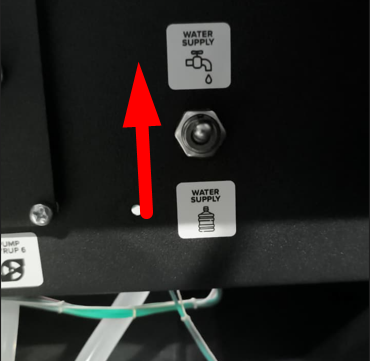
- Set the water supply switch to the water-line position.
- Turn the taps to supply water from the main line.
- Power on the machine and wait for the software to load.
- Press SERVICE MODE, then tap “Water Pumping” on the screen. Continue pumping until the hydraulic line fills and water flows from the hoses.
- Press buttons 1–4 to rinse all mixers in turn until water flows out cleanly.
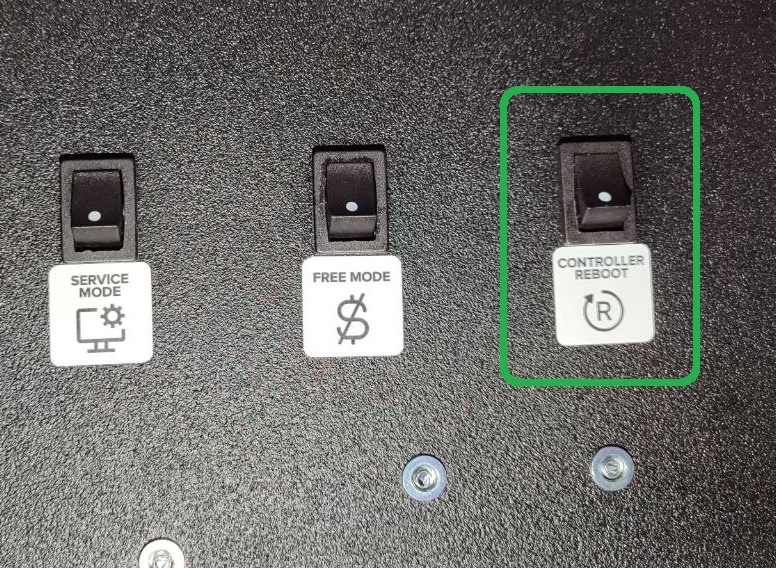
- Press CONTROLLER REBOOT or restart the machine from the Drinks tab on the screen.
- After restart, confirm that “Error 1 No Water” doesn’t appear. If it does — see Adjusting the water level below.
Adjusting the water level
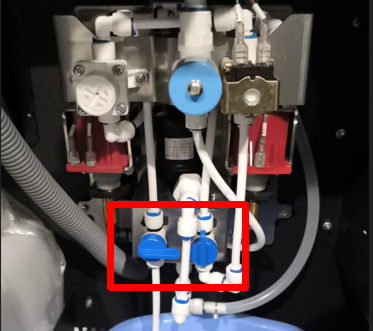
If Error 1 keeps coming back after restarts, the water level in the mixer is off. Run a pumping cycle in the service menu and compare with the reference:
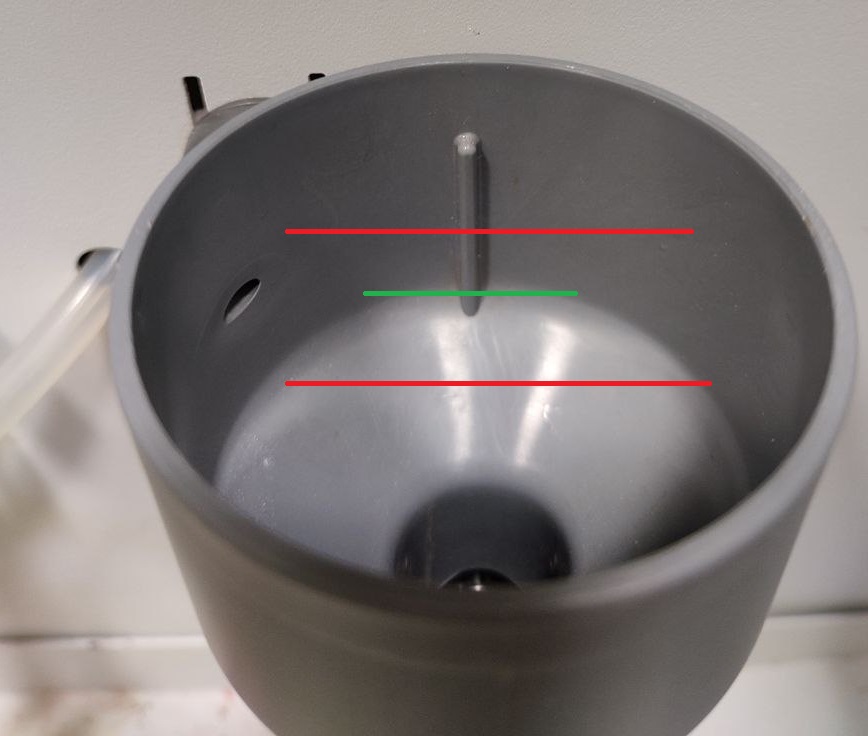
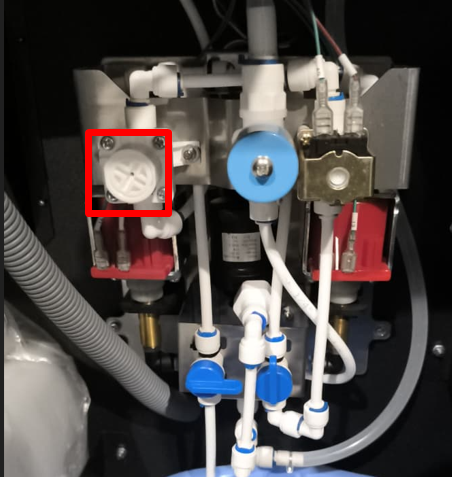
- Adjust the water flow with a Phillips screwdriver on the pressure regulator.
- To increase flow, turn clockwise; to decrease, counterclockwise. Re-check the funnel level. Repeat until correct.
- Rinse mixers 1–4 by tapping their buttons on the screen.
- Press CONTROLLER REBOOT. After restart, confirm that “Error 1 No Water” doesn’t appear.
Water calibration (final step)
After water flow is correct, calibrate the water output so that the machine dispenses the exact volume configured in each drink recipe. Without this step, dosing can be off by 10–20%.
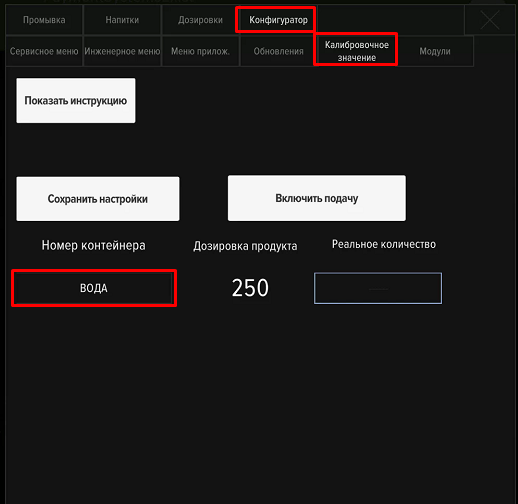
- Open Service Menu → Developer Mode → Configurator → “Calibration value”.
- Place a measuring cup (300 ml or larger) under the dispensing nozzle.
- Run a calibration cycle, read the actual volume, and enter it on the screen.
- Repeat 2–3 times until the actual volume matches the target within ±10 ml.
The water supply connection setup is complete.
Troubleshooting — water valve doesn’t open
If the machine shows Error 1 and water doesn’t pump even after restart, the supply pressure may be too high — the solenoid valve cannot open against it. Lower the pressure with the regulator by turning it counterclockwise a few turns. Press CONTROLLER REBOOT and check that water starts entering the line. After any pressure change, re-run water calibration to keep dosing accurate.